Disclaimer: This guide is for general informational purposes only and does not constitute financial, legal, or immigration advice. App features, fees, verification requirements, and payment acceptance change frequently and can differ by nationality, visa status, and issuing bank. Fares, store counts, and pricing figures are approximate and should be confirmed in-app or with the relevant provider before relying on them. Foreign residents should verify eligibility requirements directly with each service.
This guide covers: which apps to install before and after arrival in Korea, what each one actually does, what identity documents are required to activate them, how to pay with a phone at Korean convenience stores, why international map apps underperform inside Korea, and the order to set everything up in during a first month.
Which apps do you need to live in Korea?
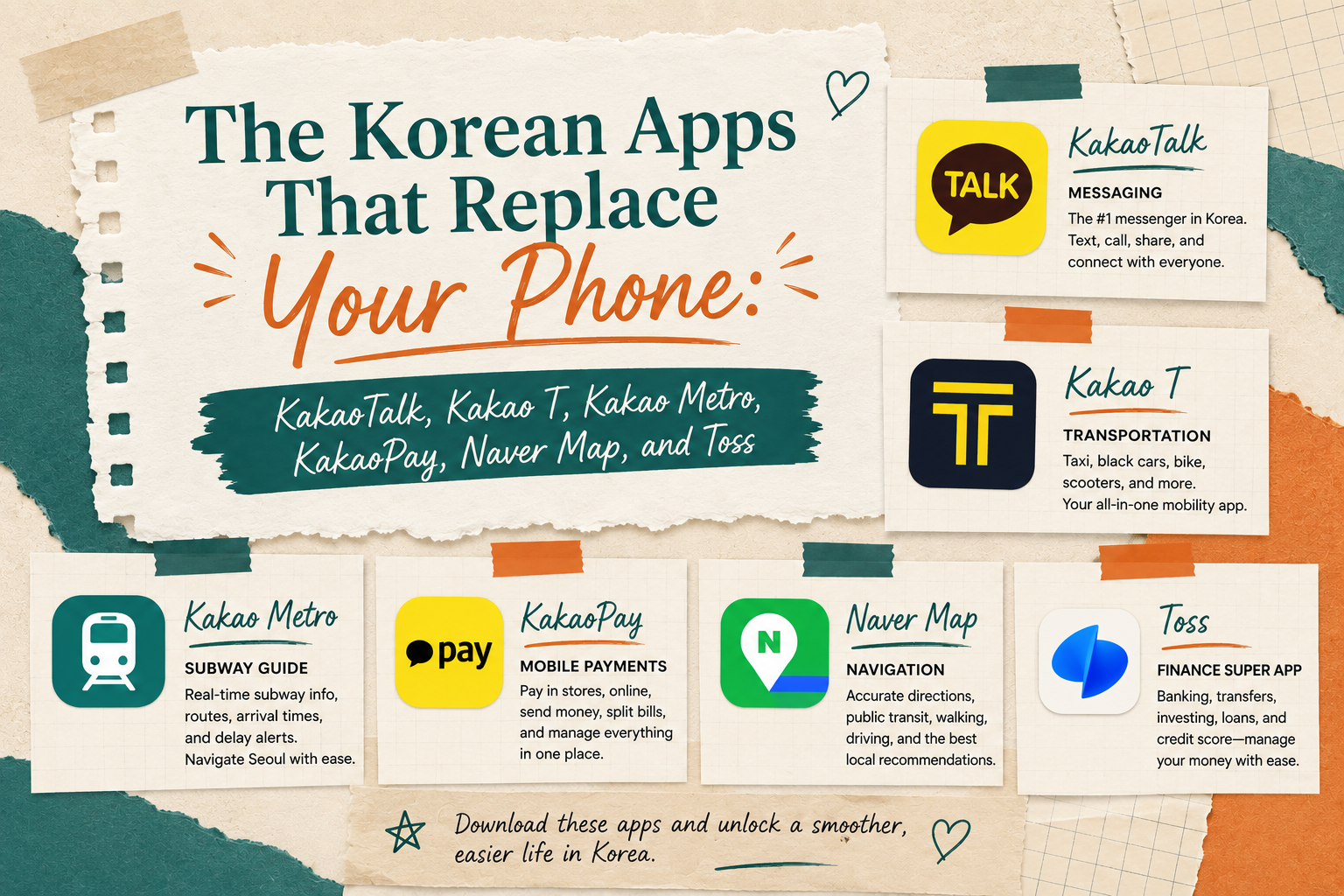
Short answer: Six apps cover nearly everything a foreign resident does on a phone in Korea: KakaoTalk for messaging, Kakao T for taxis, Kakao Map and its subway function for transit, KakaoPay for payments, Naver Map for navigation and business listings, and Toss for tracking money across accounts. Four of the six belong to the same company, so the real learning curve is two ecosystems rather than six separate apps.
That last point matters more than it sounds. Kakao operates as a connected suite. A single verified Kakao account unlocks messaging, taxis, subway times, and payments. Setting up one account correctly on day one saves repeating identity verification four times.
| App | Primary use | Korean number required? | ARC required? | English interface |
|---|---|---|---|---|
| KakaoTalk | Messaging, calls, group chats | Recommended, not strictly required | No | Yes |
| Kakao T | Taxis, bikes, driver services | Yes | No, but needed for card payment setup | Yes |
| Kakao Map / subway | Transit, subway times, walking routes | No | No | Partial |
| KakaoPay | QR and barcode payments, transfers | Yes | Yes | Partial |
| Naver Map | Navigation, business hours, reviews | No | No | Yes |
| Toss | Spending tracking, account aggregation | Yes | Yes | Partial |
What you need before most of these apps will work
Short answer: Three items unlock nearly every app in Korea: a Korean mobile number registered under the user's own name, an Alien Registration Card (ARC), and a Korean bank account. Maps and messaging work without any of them. Payments and finance apps require all three.
Korea runs on a real-name verification system called 본인인증 (bonin injeung). Financial and transport services confirm identity by matching a phone number to a registered person. A foreign SIM, an eSIM from abroad, or a data-only tourist SIM will fail that check even when the app installs and opens normally.
The three prerequisites
- Korean mobile number in your own name. Prepaid SIMs available at airport counters accept a passport and work immediately for calls and data. Most prepaid plans, however, are registered in a way that fails financial verification. A postpaid contract from a major carrier, opened after ARC issuance, is what reliably passes.
- Alien Registration Card (ARC). Required for financial verification across KakaoPay, Toss, and any banking app. Application happens at a regional immigration office after arrival.
- Korean bank account. Required to charge payment balances, receive transfers, and link account data to a money-tracking app.
Practical tip: Sequence matters. ARC first, then bank account, then postpaid phone contract, then financial apps. Attempting the financial apps before the ARC arrives produces verification failures that are easy to misread as app bugs.
What works on day one, before any paperwork
Teachers arriving with a foreign SIM or airport prepaid card can still install and use:
- KakaoTalk, using a foreign number for initial verification
- Naver Map, with no account at all
- Kakao Map and subway times, with no account at all
- Kakao T, for hailing a taxi and paying the driver in cash or by card in the vehicle
That combination is enough to reach an apartment from the airport, find a grocery store, message a manager, and get to work on the first Monday.
KakaoTalk: the app that is not optional
Short answer: KakaoTalk is Korea's default messaging platform, used by the overwhelming majority of the population. Academy managers, co-teachers, landlords, delivery drivers, and repair technicians all expect a KakaoTalk contact rather than a phone number or email address.
Text messaging in the Western sense barely exists in Korea. Asking someone for their number usually results in a KakaoTalk ID or a QR code scan. A teacher without KakaoTalk is functionally unreachable.
What KakaoTalk is actually used for
- Work coordination. Most academies run a staff group chat carrying schedule changes, substitute requests, and daily notices.
- Landlord and building contact. Maintenance requests, gas and water inspections, and building notices are commonly handled by chat.
- Delivery and services. Couriers message on arrival. Repair technicians confirm appointment windows by chat.
- Free calls. Voice and video calls run over data, which makes international calls to family free on both ends.
- Gifting. The gift function (선물하기) sends a coffee or cake voucher to a chat contact, redeemable by barcode in store. This is a routine social courtesy in Korea, used for thanks, birthdays, and apologies.
- Payments inside chat. Splitting a bill happens directly in the conversation once KakaoPay is active.
Setup steps
- Install the app and select the interface language during first launch.
- Verify a phone number. A foreign number works for basic messaging and can be swapped for a Korean number later.
- Set a profile name that colleagues can recognize, since work group chats identify people by profile name rather than saved contact name.
- Add contacts by phone number sync, by Kakao ID search, or by QR code.
- Turn on the separate work profile function if available, to keep a professional-facing profile distinct from a personal one.
Practical tip: Written records matter. When an academy communicates a schedule change, a pay adjustment, or a housing arrangement by chat, that conversation becomes a dated written record. Keeping those messages rather than clearing chat history is a low-effort habit that has resolved a great many misunderstandings. Note that a chat record is not a substitute for a written contract or a formal amendment, and any question about contractual enforceability should go to a qualified professional or the relevant labor office.
Security notes worth knowing
Impersonation scams are common on KakaoTalk. The most frequent pattern involves a message from an unknown number claiming to be a family member who has lost their phone, followed by a request for money or for a photo of an ID card. Verification codes should never be forwarded to anyone. Links arriving from unknown accounts should not be opened, particularly those requesting login or card details.
Kakao T: hailing a taxi without speaking Korean
Short answer: Kakao T is Korea's dominant ride-hailing app. It handles taxi hailing, bicycle rental, designated driver services, parking, and intercity travel booking, with an English interface and live ride tracking that can be shared with another person.
The core advantage over hailing on the street is not price. It is precision. The destination is entered as text in the app, which removes the need to pronounce an address or explain a location to a driver.
Ride categories
| Category | Korean name | What it is | Notes |
|---|---|---|---|
| Regular call | 일반호출 | Standard metered taxi | Usually no extra call fee, may take longer at peak times |
| Blue | 블루 | Guaranteed dispatch, franchise fleet | Carries a call fee, typically in the low thousands of won |
| Venti | 벤티 | Large vehicle, more luggage space | Higher base fare, useful for airport runs |
| Black | 블랙 | Premium vehicles | Substantially higher fare |
| Bike | 바이크 | Shared bicycle rental | Separate unlock and per-minute pricing |
How fares work
Metered taxi fares in Korea are regulated at the regional level and consist of a base fare covering an initial distance, then distance and time increments. A late-night surcharge applies during overnight hours, and it is tiered rather than flat, with the steepest rate around the peak demand window shortly after midnight. Intercity trips crossing a metropolitan boundary can carry an additional surcharge.
Fares are revised periodically by regional government, so any figure published online has a shelf life. The app displays an estimated fare before dispatch, and that estimate is the number to trust.
Payment options
- Auto payment. A registered card or KakaoPay balance charges automatically at the end of the ride, with no interaction with the driver.
- In-vehicle payment. Cash or a physical card handed to the driver at the end of the trip. This is the fallback available before financial verification is complete.
Safety features
The app generates a shareable live tracking link. Sending that link to a friend or a group chat lets them watch the vehicle move in real time and see the estimated arrival. Vehicle plate number and driver information appear in-app before pickup. For anyone travelling alone late at night, this is the single most useful feature in the app.
Practical tip: During heavy rain, on Friday nights, and immediately after major holidays, regular calls can go unanswered for long stretches. Switching to the guaranteed-dispatch category costs a small call fee and usually solves it. Standing on a main road rather than a small side street also improves dispatch odds considerably.
Kakao Map and Kakao subway: the transit layer
Short answer: Kakao's subway function shows live train positions, first and last train times, transfer timing, and platform car numbers, and it can share a live-tracking arrival estimate with a friend or group chat. Korean subway systems run to a published timetable, which makes these estimates unusually accurate.
Subway times in Korea are not predictions in the way bus arrival times are elsewhere. Trains run to schedule, so the arrival countdown displayed in the app is close to exact under normal operating conditions.
What the subway function provides
- Live train position on the line, station by station
- First and last train times per station, per direction, which differ by line and by weekday versus weekend
- Fastest transfer car number, indicating which car to board so that the doors open nearest the transfer stairs
- Total journey time and fare before departure
- Shareable ETA, sent into a KakaoTalk chat so the recipient sees a live countdown rather than a guess
- Station exit numbers, which is how Koreans give directions in practice. Meeting points are described as "exit 3," not as a street address.
Coverage
The subway function covers the Seoul metropolitan network including the wider Gyeonggi and Incheon lines, plus the Busan, Daegu, Daejeon, Gwangju, and Incheon systems. Coverage of intercity rail and buses is handled separately through mapping and booking apps.
Practical tip: The last train matters more than the first. Korean subway systems generally stop running around midnight, with the exact final departure varying by line and by station position along that line. A station near the end of a line sees its last train earlier than a central station. Checking the last train time before a night out is the difference between a subway ride home and a late-night taxi surcharge.
KakaoPay: paying with a phone across Korea
Short answer: KakaoPay handles QR and barcode payments in stores, person-to-person transfers inside chat conversations, bill splitting, and transfers out to a Korean bank account without a transfer fee. It is accepted at all major convenience store chains, most cafe chains, and a wide range of retail.
The practical value is redundancy. A wallet left at home, a card left in a coat pocket, or a lost card in the days before a replacement arrives all become non-events when a phone can pay.
What KakaoPay does
| Function | Description |
|---|---|
| In-store payment | A rotating barcode or QR code scanned at the register |
| Send money | Transfer to a KakaoTalk contact, no account number needed |
| Request money | Send a payment request into a chat, individually or to a group |
| Split a bill | Divide a total across selected chat participants automatically |
| Transfer out | Move balance to a linked Korean bank account, generally without a fee |
| Points | Accumulate reward points on qualifying transactions |
| Online checkout | Pay on Korean e-commerce sites without re-entering card details |
Setup steps
- Open KakaoTalk and select the Pay section, or install the standalone KakaoPay app.
- Complete identity verification using the ARC and a Korean mobile number registered in the same name.
- Link a Korean bank account, which becomes the funding source for the payment balance.
- Set a payment PIN and enable biometric authentication.
- Charge the balance manually, or enable automatic top-up so the balance refills from the linked account when it runs low.
Practical tip: Verification fails most often for a mismatch rather than a system problem. The name on the ARC, the name registered to the phone number, and the name on the bank account must match exactly, including the order of given and family names and any middle name. A mismatch introduced when the phone contract was opened is the usual culprit.
Money going out
Balance held in KakaoPay does not have to stay there. Transferring it to a linked Korean bank account is generally free and typically arrives within minutes. This makes the app usable as a pass-through: receive a reimbursement from a colleague in the morning, move it to a bank account the same afternoon, and pay rent from the bank account as normal.
Paying with KakaoPay at Korean convenience stores
Short answer: All four major Korean convenience store chains accept KakaoPay barcode and QR payment at the register: CU, GS25, 7-Eleven, and Emart24. The process takes about ten seconds and requires no Korean language beyond showing the screen.
Convenience stores in Korea are not a marginal category. They function as small grocery stores, parcel pickup points, ATM locations, bill payment counters, and late-night kitchens, and there is usually one within a few minutes' walk of any residential address or academy. Payment friction here is a daily cost.
The four major chains
| Chain | Operator | Rough network scale | Membership app | Points program |
|---|---|---|---|---|
| CU | BGF Retail | Largest network in Korea, well over 15,000 stores | 포켓CU (Pocket CU) | CU membership points |
| GS25 | GS Retail | Comparable scale to CU, well over 15,000 stores | 우리동네GS (Our Neighborhood GS) | GS&POINT |
| 7-Eleven | Korea Seven (Lotte) | Third largest, expanded substantially after absorbing the Ministop network | 세븐일레븐 (7-Eleven) | L.POINT |
| Emart24 | Shinsegae | Smallest of the four majors, several thousand stores | 이마트24 (Emart24) | Shinsegae Point |
Two notes on that table. First, store counts move constantly, since these chains open and close hundreds of locations a year, so the figures are given as scale rather than as precise counts. Second, Ministop no longer operates as an independent chain in Korea following its acquisition by the Lotte group, and its former locations were converted, which is why 7-Eleven's footprint grew sharply.
Beyond the four majors, station-based convenience stores operate inside subway and rail stations under separate branding and generally accept the same payment methods.
How to pay at the register, step by step
- Bring items to the counter and let the cashier scan them.
- Open KakaoPay. In the standalone app, the payment code is on the main screen. Inside KakaoTalk, it sits in the Pay tab.
- Authenticate with fingerprint, face, or PIN. The barcode and QR code appear together on one screen.
- Say "카카오페이로 결제할게요" (kakao-pay-ro gyeol-jae-halgeyo), meaning "paying by KakaoPay," or simply hold the screen toward the scanner. Most cashiers recognize the screen instantly and no words are needed.
- The cashier scans the barcode with the handheld or counter scanner.
- Confirmation appears on the phone. Points accrue automatically where applicable.
Practical tip: The payment code rotates on a short timer for security. If it expires while waiting in line, tap to refresh rather than closing and reopening the app. Screen brightness matters too, since counter scanners struggle with a dim screen. Turning brightness up before reaching the counter avoids the awkward second and third scan attempt.
Things KakaoPay will not do at a convenience store
- Transit card top-ups generally require cash. Charging a physical T-money or Cashbee card at a convenience store counter is a cash transaction at most locations, not a card or mobile payment. Carrying a small amount of cash specifically for this remains sensible.
- Some ATM functions require a physical card. Convenience store ATMs are for cash withdrawal against a bank card, and a payment app does not replace one.
- Age-restricted purchases still require physical ID. Alcohol and tobacco purchases require a physical ARC or passport, and a photo of an ID card is not accepted.
Where else the same barcode works
The KakaoPay code is not convenience-store specific. It is widely accepted at major cafe chains, bakery chains, health and beauty retail, cinema chains, department stores, and a broad range of independent businesses displaying the payment logo at the counter. Acceptance is not universal, so a small independent restaurant may take cards and cash only.
Related reading: Payment method is only one of several savings layers available at Korean convenience stores. Membership apps, card-linked discounts, subscription passes, and closing-time markdowns stack on top of each other. See the full guide to stacking convenience store discounts in Korea.
Naver Map: why the international map app underperforms in Korea
Short answer: Naver Map and Kakao Map are the navigation apps Koreans actually use. International mapping services are limited inside Korea because Korean law restricts the export of high-precision domestic mapping data to servers located outside the country, a restriction rooted in national security policy.
This surprises most new arrivals, because the map app that worked in every other country suddenly cannot produce driving directions.
What the restriction means in practice
Korean spatial data law requires government approval before detailed domestic mapping data can be transferred to overseas servers. Approval requests from international mapping providers have been submitted and reviewed more than once over the years and have historically been declined, with national security considerations regarding sensitive sites cited as the central concern. Reviews have continued, and any change would take time to appear in a working app, so current functionality should simply be tested rather than assumed.
The practical consequences inside Korea:
- Turn-by-turn driving directions are unavailable or severely limited
- Walking directions are inconsistent and frequently missing
- Public transit routing works reasonably but with less accurate timing
- Business listings, hours, and reviews are sparse compared to Korean equivalents
What Naver Map does better
| Feature | Why it matters |
|---|---|
| Complete business listings | Opening hours, holiday closures, menus, and photos for small businesses that do not appear on international maps |
| Accurate walking routes | Includes pedestrian underpasses, overpasses, and covered arcades |
| Live bus arrivals | Real-time position and arrival countdown by stop |
| Transit routing with fares | Total cost and transfer count shown before departure |
| Indoor maps | Large stations, department stores, and malls mapped floor by floor |
| Multilingual interface | English, Japanese, and Chinese interface options with romanized place names |
| Building-level accuracy | Korean addresses are building-based rather than street-based, and Naver resolves them correctly |
Naver Map versus Kakao Map
Both are excellent and the differences are small. Naver Map has the deeper business listing and review database and slightly stronger English support. Kakao Map integrates directly with the rest of the Kakao suite, so a location can be sent into a chat and a taxi hailed to it without leaving the ecosystem. Many residents keep both installed and use Naver Map to find places and Kakao Map to travel to them.
Practical tip: Search in Korean where possible, even without speaking the language. Copying a Korean business name from a website or a chat message into the search bar returns far better results than an English transliteration. English searches work well for major landmarks and stations, less well for a specific restaurant.
Toss: seeing where the money actually goes
Short answer: Toss is a financial app that aggregates balances and transactions across multiple Korean banks and cards into one view, with automatic spending categorization. Using it does not require opening a Toss Bank account or holding a Toss card. An account plus identity verification is enough.
This addresses a specific problem for foreign residents. Salary arrives at one bank, a credit card sits with a second institution, rent goes out by automatic transfer, and utilities are debited separately. Checking a balance means opening several apps, each with its own login and its own certificate. Toss collapses that into one screen.
What Toss provides
- Account aggregation across Korean banks through the national open banking framework
- Spending breakdown by category and by merchant, updated automatically
- Transfers between accounts
- Credit score visibility, though coverage for foreign residents varies by credit bureau and by length of financial history in Korea
- Card and subscription tracking, useful for catching recurring charges that continue after cancellation was assumed
- Optional banking and investment services, which are entirely separate opt-ins and not required for the tracking features
Setup steps
- Install the app and begin registration.
- Verify a Korean mobile number registered in the user's own name.
- Complete identity verification using the ARC. This usually involves capturing an image of the card and confirming the details.
- Wait for verification to process. This is not always instant, and a short delay is normal rather than a failure.
- Set a PIN and enable biometric login.
- Connect Korean bank accounts, which is done in a single consolidated flow rather than one institution at a time.
Practical tip: The interface is Korean-first, with English support present in parts of the app but not throughout. Working through initial setup alongside a phone camera translation tool, or with a Korean-speaking colleague for the verification screens, removes most of the friction. Once configured, the daily-use screens are largely numbers and are readable without Korean.
A note on eligibility
Access to Korean financial services for foreign nationals has broadened considerably, but individual features can still be restricted based on visa type, length of residence, and the policies of a particular institution. A declined feature is not necessarily an error, and requirements differ between providers. Verify current eligibility with the provider directly.
Setup order: a realistic first month
Short answer: Install messaging and maps immediately on arrival, add taxis once a Korean number is active, and set up payments and finance apps only after the ARC arrives and a bank account is open. Attempting the financial apps first produces verification failures.
Week 1: before the ARC
- Install KakaoTalk and verify with whatever number is available, including a foreign one.
- Install Naver Map and Kakao Map. Neither requires an account.
- Install Kakao T. Taxis can be hailed and paid in cash or by physical card in the vehicle.
- Buy a physical transit card at any convenience store and top it up with cash.
- Save the academy address, the apartment address, and the nearest subway station in Naver Map.
Week 2 to 4: after the ARC arrives
- Open a Korean bank account, taking the ARC and passport.
- Convert to a postpaid phone contract registered under the same name.
- Activate KakaoPay and complete identity verification.
- Link the bank account to KakaoPay and enable automatic top-up.
- Register a payment method inside Kakao T so rides charge automatically.
- Install Toss and connect accounts once at least one Korean account has activity in it.
Ongoing
- Add the membership app for whichever convenience store chain is nearest to home and work.
- Turn on separate notification settings for work group chats, so schedule messages are visible without every chat interrupting off-hours.
Common problems and what causes them
| Problem | Usual cause | Fix |
|---|---|---|
| Identity verification repeatedly fails | Name mismatch between ARC, phone contract, and bank account | Correct the mismatch at the carrier or bank, then retry |
| Financial app rejects the phone number | Prepaid or data-only SIM not registered for real-name verification | Convert to a postpaid contract in the user's own name |
| Barcode will not scan at the register | Expired rotating code, or screen brightness too low | Refresh the code, raise brightness, present again |
| Taxi call goes unanswered | Peak demand, rain, or a hard-to-reach pickup point | Switch to guaranteed dispatch and move to a main road |
| Map search returns nothing | English transliteration of a Korean business name | Paste the Korean name into the search bar |
| Bank connection missing in a finance app | Account too new, or open banking consent not completed | Wait for account activity, then reconnect through the consent flow |
| Group chat notifications constant | Default notification settings | Set per-chat notification rules rather than muting everything |
Frequently asked questions
Do you need a Korean phone number to use KakaoTalk?
No. KakaoTalk verifies with a foreign number and works for messaging and calls immediately. A Korean number becomes necessary for KakaoPay and for services that require real-name verification.
Can KakaoPay be used without an Alien Registration Card?
Generally no. Identity verification for payment services requires an ARC, because the verification system matches a registered identity to a registered phone number. Basic messaging and mapping functions require no such verification.
Is Kakao T cheaper than hailing a taxi on the street?
The metered fare is the same, since taxi fares are regulated. Standard calls typically add no fee. Guaranteed-dispatch and premium categories carry a call fee or a higher base fare. The advantage over a street hail is destination accuracy and ride tracking rather than price.
Which convenience stores in Korea accept KakaoPay?
All four major chains accept KakaoPay barcode and QR payment: CU, GS25, 7-Eleven, and Emart24. Station-based convenience stores generally accept it as well. Topping up a physical transit card at the counter usually still requires cash.
Why does the international map app not give driving directions in Korea?
Korean law restricts the export of high-precision domestic mapping data to overseas servers on national security grounds. Without that data, international providers cannot deliver full navigation inside Korea. Naver Map and Kakao Map operate on domestic servers and are unaffected.
Is Naver Map or Kakao Map better?
Naver Map has the stronger business listing database and better English support. Kakao Map integrates with KakaoTalk and Kakao T, which makes sharing a location and hailing a ride to it seamless. Keeping both is common.
Does using Toss require opening a Toss Bank account?
No. Account aggregation and spending tracking work with a verified Toss account alone. Banking, card, and investment products are separate opt-ins.
Are these apps free?
The apps are free to download and use. Costs arise from the underlying services: taxi fares, purchases, and any transfer fees charged by a bank rather than by the app. Transfers from a KakaoPay balance to a linked Korean bank account are generally free.
How accurate are Korean subway arrival times?
Very accurate under normal conditions, because Korean subway systems run to a fixed published timetable rather than relying on predictive estimates. Delays occur but are announced.
What happens to these accounts after leaving Korea?
Financial services tied to an ARC generally become restricted once the ARC expires or is surrendered. Balances should be withdrawn and accounts settled before departure. KakaoTalk continues to work internationally with no Korean residency requirement.
Can a phone replace a wallet entirely in Korea?
Close to it, but not completely. Physical ID is required for age-restricted purchases and official business, transit card top-ups at convenience store counters usually require cash, and some small independent businesses accept cards and cash only.
Which app should be installed first?
KakaoTalk. It is the one thing an academy, a landlord, and a delivery driver will all assume is already installed.
The short version
Korea does not run on the same digital infrastructure as most countries, and the apps that worked elsewhere mostly will not work here. Six apps close that gap. Four of them share one account.
The sequence is what matters. Messaging and maps work immediately on arrival with no paperwork. Everything financial waits on the ARC. Teachers who understand that ordering spend their first month settling in rather than troubleshooting verification screens.
Setting up a phone is one piece of a first month in Korea. For the immigration office process that produces the ARC these apps depend on, see the 2026 Korea immigration playbook.